Widget for Kommo CRM

Lead assignment
on your terms.

No lead left waiting. Route opportunities to whoever can respond now and keep your sales team moving.
Time clock and schedulesCompetition, round robin and longest waitingAnonymous offersAssignment to logged-in usersAssignment recordsSalesbot step
Lead Assignment Management
Assignment settings
ScheduleTeam schedules
Clocked inTime clock
New offerLead acceptance
Sales team specialist
How it works

Availability, delivery and choice.
You configure every step.

The widget connects your team’s routine to the assignment rules that fit your operation.

01

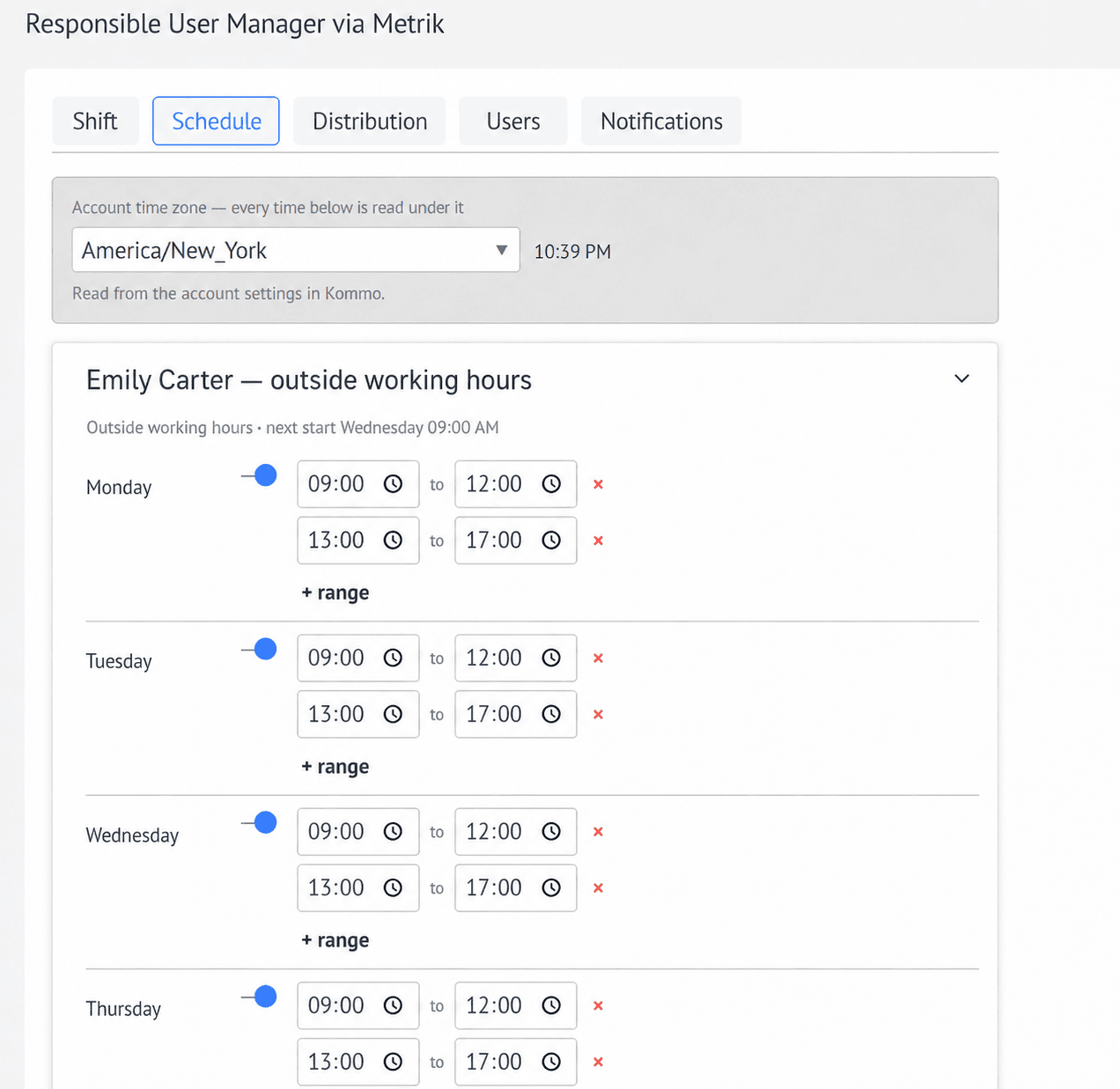
Team schedules

Set the working days and hours for each team member.

  • Multiple time slots per day
  • Individual schedules
  • Account time zone respected
Team schedules
02

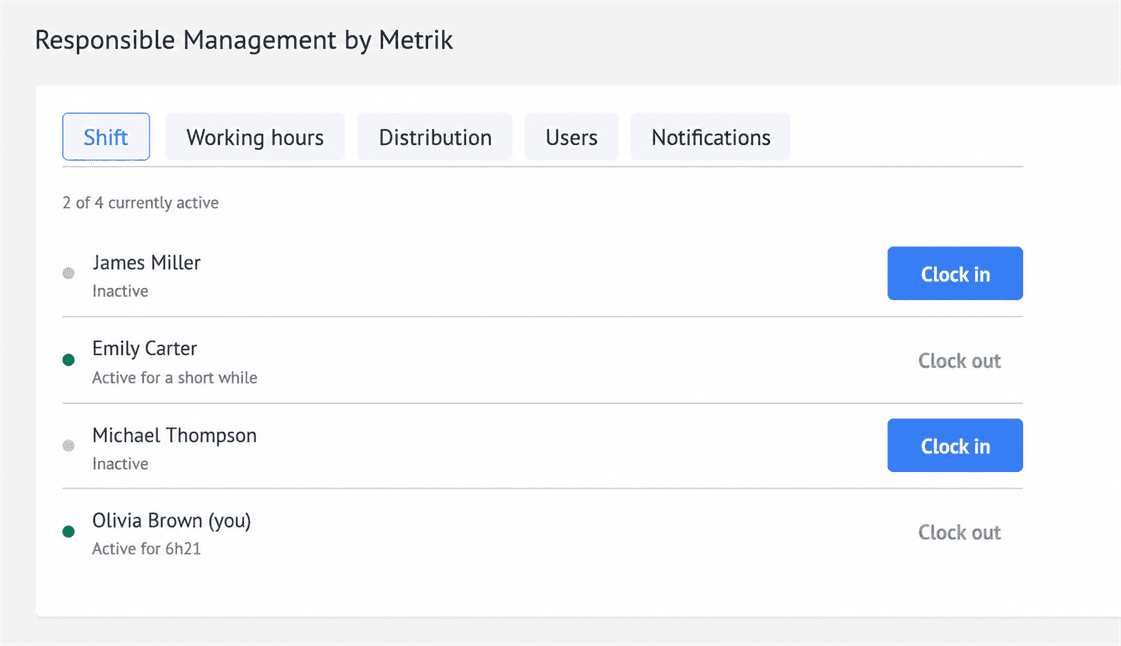
Time clock

Team members indicate when they are available to receive assignments.

  • Clock in or out
  • Permissions per person
  • Real-time availability
Time clock
03

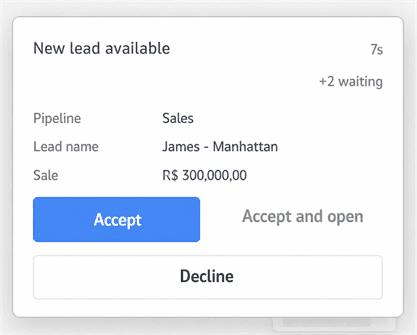
Lead acceptance

Offers arrive with the selected information and clear actions for the team.

  • Accept, decline or open
  • Configurable offer deadline
  • Custom preview fields
Lead acceptance
04

Assignment records

See directly on the lead how, when and why each assignment happened.
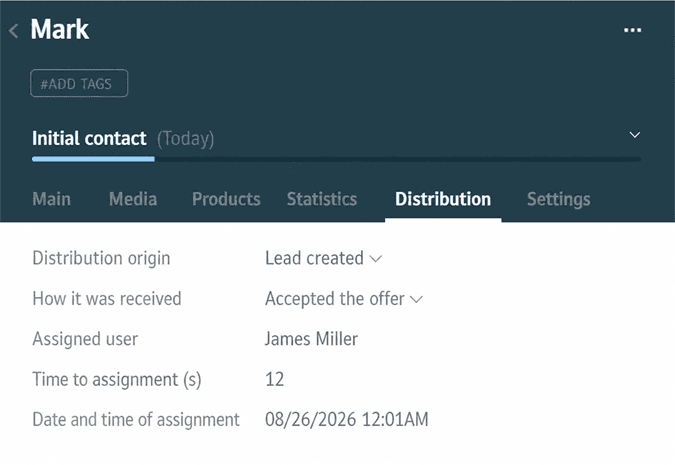
  • Assignment source
  • Delivery method
  • Date and owner recorded
Assignment records
Operational flexibility

Combine the rules.
Build your own flow.

%

Percentage assignment

Define each person’s share in the rotation.

⚡

Competition

Offer to everyone and assign to the first person who accepts.

⌛

Longest without a lead

Prioritize whoever has been waiting the longest.

→

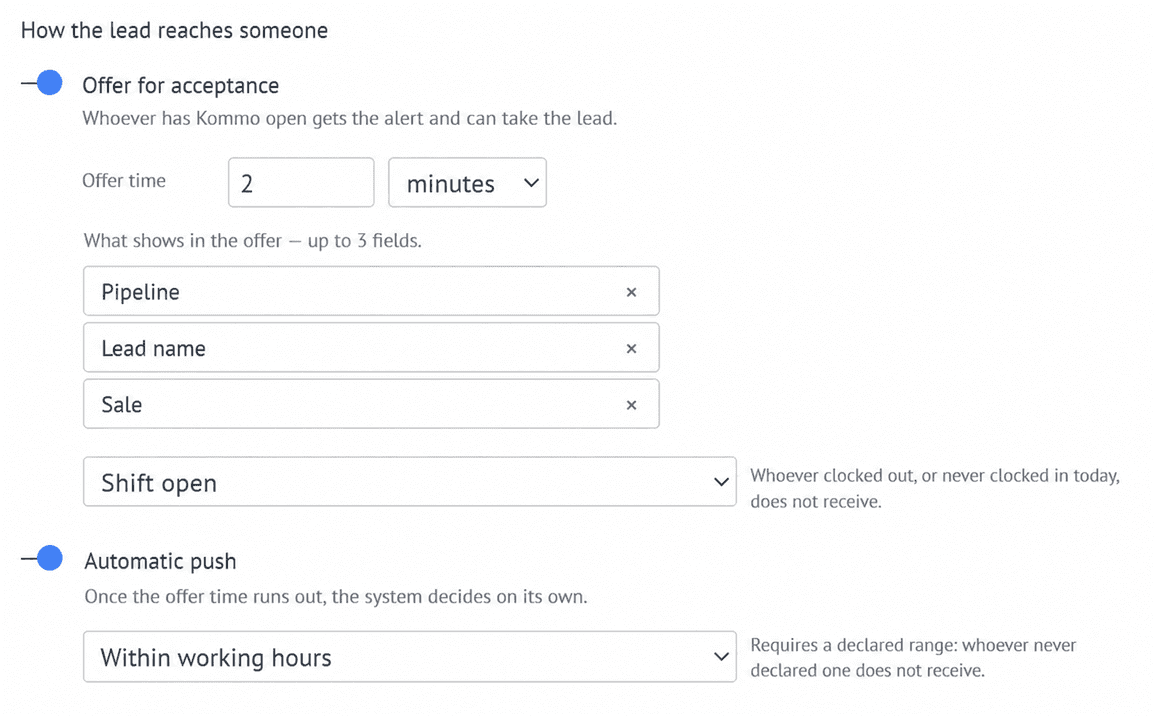
Automatic assignment

Assign automatically when the offer expires.

◎

Configurable preview

Choose up to three fields or keep the offer anonymous.

↳

Salesbot

Create a specific assignment for each workflow.

Inside Kommo

Clear setup.
Connected operation.

Choose who participates and sync the owner across contacts, companies or tasks.
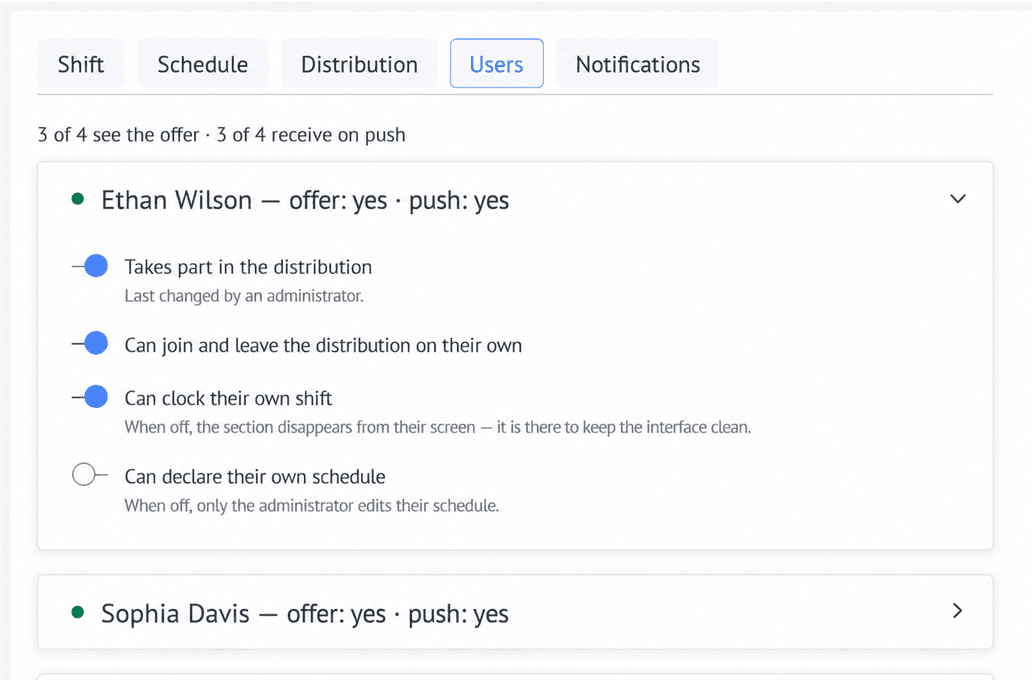
User managementProfessional responding to leads
Advanced automation

Bring assignment
into Salesbot.

Add Lead Assignment Management to your workflows and create specific rules for every stage of the customer journey.
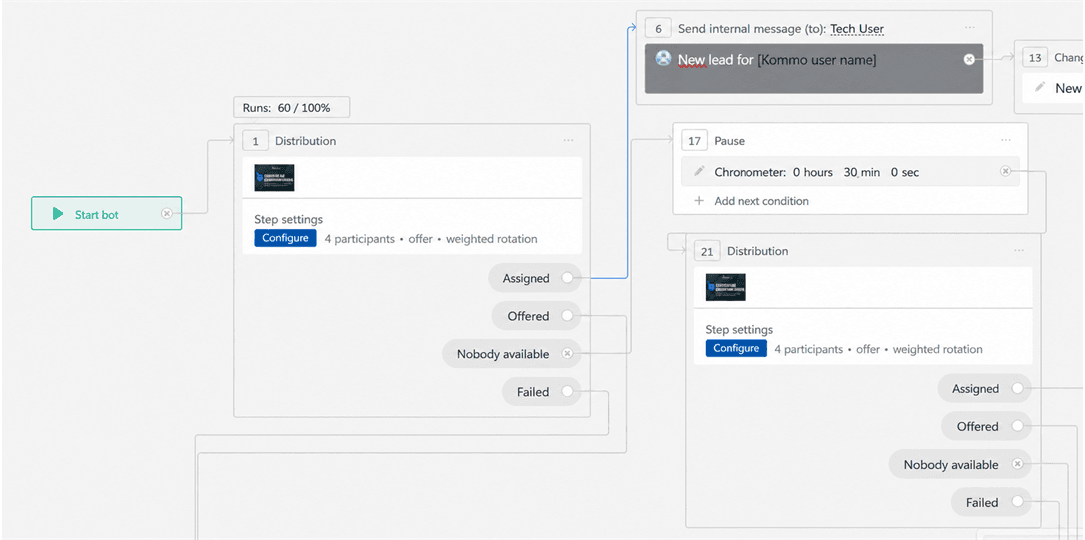
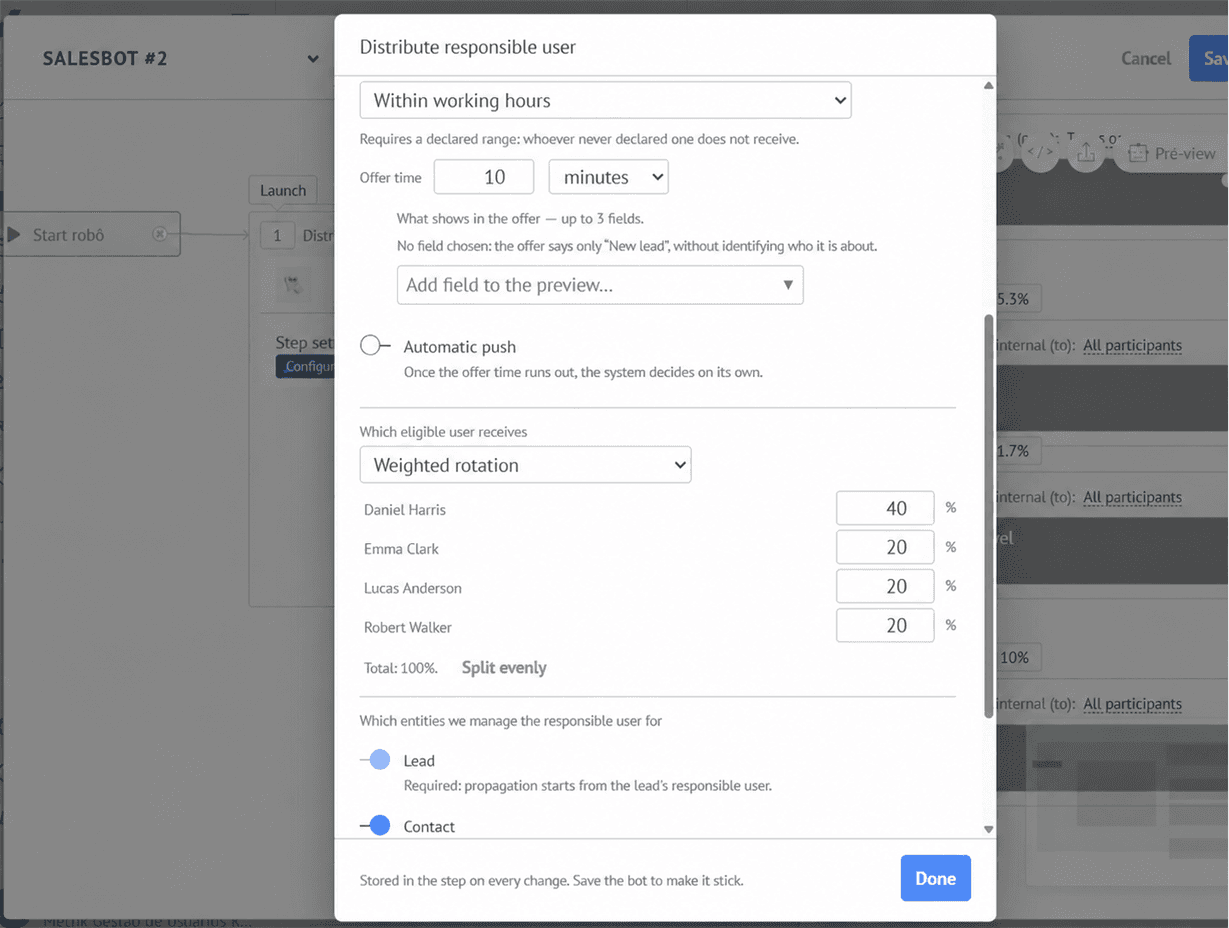
  • Choose participants for each automation
  • Set criteria, mechanism and preference by step
  • Route the flow based on the assignment result
Explore the possibilities →
Lead Assignment Management block in Salesbot
Advanced assignment settings in Salesbot
Bring assignment
Salesbot virtual assistant
Plans

Choose the right term
and get bonus months.

The monthly price is the same for every plan. Choose a longer term to get more access time at no additional charge.

with unlimited users

$20/ month

Choose the term that best fits your operation

Bonus months are added to the contracted term at no additional charge.

✓All features✓Unlimited users✓Updates included✓Specialized support
Frequently asked questions

Before choosing
your plan.

Want to discuss your operation? Our support team can help.

Talk to Metrik →
Does the widget work inside Kommo?+

Yes. The screens and offers are part of your Kommo account experience.

Can I combine time clock and schedules?+

Yes. You choose how these signals determine availability for each mechanism.

Do plans change the features?+

No. The only difference between plans is the contract term.

Who can install it?+

Installation must be performed by an account administrator.

More control for your sales team

Configure assignment
around your operation.

Choose a plan →